
MCP Server
The SEO MCP server for your rankings and AI visibility
Connect Claude, Cursor, ChatGPT, or any MCP client to your Mencoro data.
Ask about rankings, share of voice, competitors, and AI mentions in plain language, and have it set up and tune your monitoring.
Included in every plan, from €15 a month. Not ready to sign up? See how AI names your brand with the free AI visibility checker.
Developer reference: endpoint, authentication, tools and limits
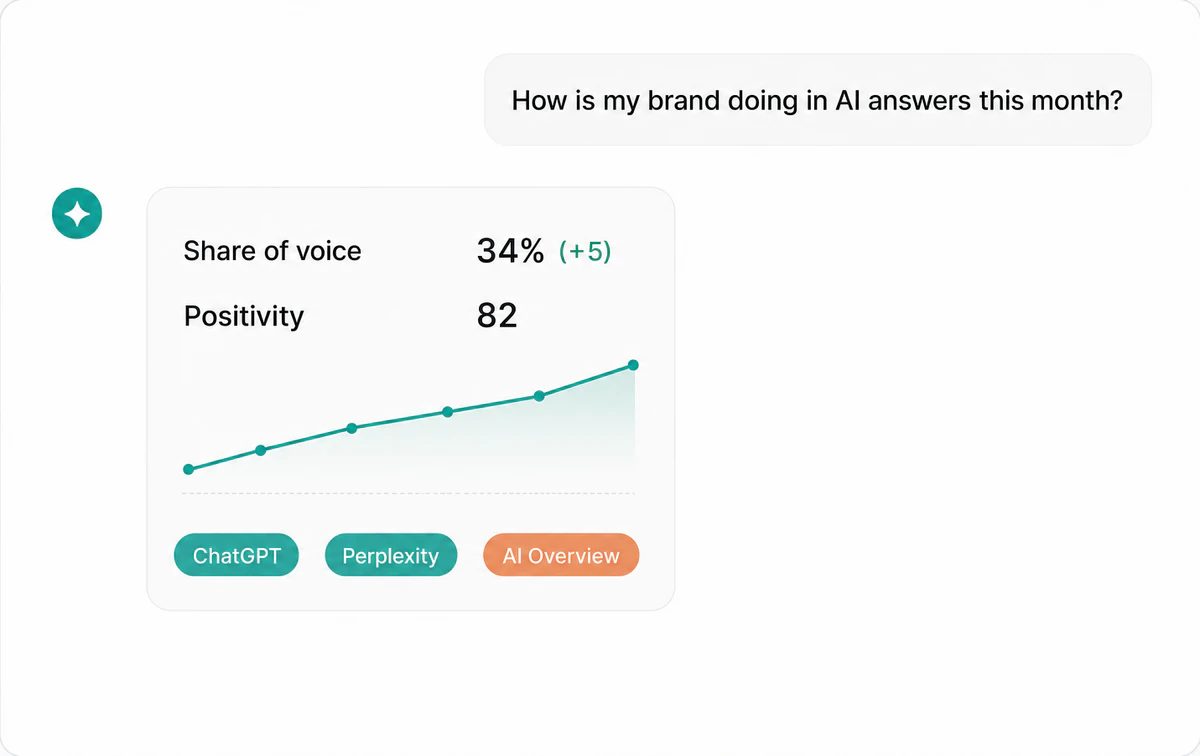
Ask about your AI visibility in plain language
Once connected, your AI assistant can query your Mencoro projects directly. Ask for a board-ready summary of how your brand shows up in AI answers this month. Ask what changed since last week, which queries moved the most, or where a competitor is gaining ground. No dashboard digging, no CSV exports. The assistant pulls live data from Mencoro and answers in the same conversation where you already work. When you want a change, ask for it too: set up a project from a website, add competitors and prompts worth tracking, regroup keyword clusters, or check queries less often to save budget. Anything that deletes, spends checks or touches your organization is previewed first and runs only after you confirm.
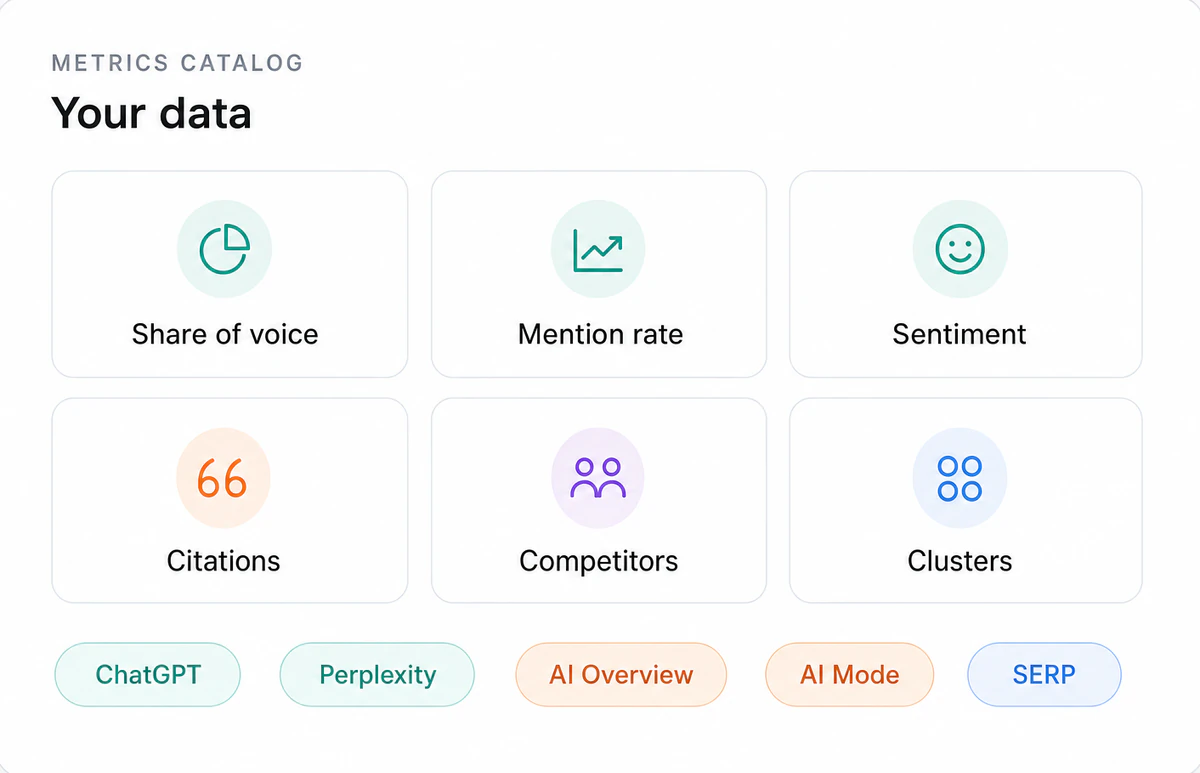
Every metric Mencoro tracks, available to your assistant
The MCP server exposes the full dataset: share of voice, mention rate, Favorability, mention positions, the five mention types, competitor co-occurrence, cited sources, keyword clusters, countries, and per-engine results across ChatGPT, Perplexity, Claude, Google AI Overview, Google AI Mode, and Google SERP. Your assistant can cross these however you ask, from a single query's history to a portfolio-wide sentiment report.
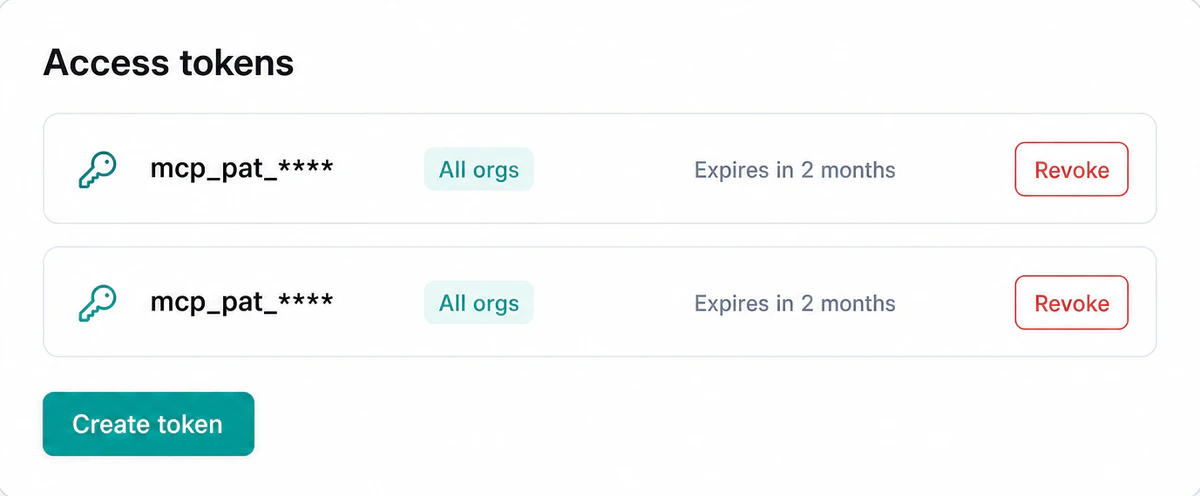
Permissions you choose, access you can revoke
Every connection carries the permissions you grant: read, write, and organization management. Sign in with OAuth and tick what the assistant may do, or create a personal token in Mencoro with its own permissions, expiry date and organization. Neither can ever do more than your own role allows, each shows when it was last used, and revoking one takes effect immediately. Treat tokens like passwords: anyone holding one can do what it allows until you revoke it.
How to connect your AI assistant
Setup takes a few minutes and does not require code. The configuration screen in Mencoro gives you a ready-made snippet for each supported client.
- Create an access token. In your Mencoro settings, generate a personal token and choose what it may do, which organizations it reaches, and when it expires. In Claude and ChatGPT you sign in instead and tick the permissions there, so no token is needed.
- Add it to your AI assistant. Pick your MCP client, copy the configuration, and replace the placeholder with your token. In ChatGPT, open Mencoro's listing in the plugin directory and click Connect instead.
- Ask about your data, or for a change, in plain language. Start with one of the example prompts below, or write your own.
Install in Claude, ChatGPT, Claude Code, Cursor and VS Code
| Client | How to add it | Access |
|---|---|---|
| Claude (web, Desktop, mobile) |
Settings → Connectors → Add custom connector, with the URL https://api.mencoro.com/mcp | OAuth, no token |
| ChatGPT | Mencoro's listing in the plugin directory → Connect | OAuth, no token |
| Claude Code | claude mcp add --transport http mencoro https://api.mencoro.com/mcp, then /mcp | OAuth or token |
| Cursor | ~/.cursor/mcp.json or a project's .cursor/mcp.json | Token |
| VS Code (Copilot Chat) | .vscode/mcp.json, in Agent mode
| Token |
Codex, Gemini CLI, OpenCode, Google Antigravity and a hand-configured Claude Desktop work too: the exact snippet for each is in Add it to your client.
What you can ask
Example prompts for your AI assistant once the Mencoro MCP server is connected.
Overview and trends
- "Give me a board-ready summary of how my brand is showing up in AI answers this month."
- "Show my share-of-voice trend this quarter split by engine."
Rankings and tracked queries
- "List my top queries by share of voice along with their sentiment."
- "Find which of my queries moved the most: the biggest gains and drops versus last month."
Competitors
- "Show me where I am losing share of voice to my main competitor, and on which queries."
- "Show the queries where my brand appears in the same AI answer as a competitor, and who is mentioned first."
Mentions and sentiment
- "Check whether anything negative is being said about my brand and show me those mentions."
- "Find the queries where my brand is only a neutral listing on ChatGPT rather than a recommendation."
Citations and sources
- "Show which sites ChatGPT cites when it recommends my brand versus my competitors."
- "For the queries where a competitor is named and I am not, which domains should I get published on?"
Geography and clusters
- "Show which countries my brand is strongest and weakest in."
- "Tell me which of my keyword clusters have the weakest sentiment."
Setup and data
- "List the engines, countries, competitors, and clusters configured for my project."
- "Tell me how fresh my data is: when each query was last checked and how many passes it has."
- "How does Mencoro calculate share of voice, and why is it empty for some queries?"
Make changes
- "Set up a project for my website: propose its brand names and competitors, and create it once I approve. Then suggest the first AI prompts to track and show me what they cost."
- "Which brands do the AI answers name that I do not track as competitors yet?"
- "Find the tracked queries that never move and propose checking them weekly instead of daily to save budget."
- "Group my tracked queries into clusters and show me the proposal before applying it."
Reports and optimization
- "Write a visibility report for last month against the month before, and end it with recommended actions."
- "We published a comparison page on 1 September. Did it move our AI visibility?"
- "Using Mencoro and Search Console, which topics do we rank for on Google but never get named for in AI Overviews?"
Generic SEO MCP servers vs the Mencoro MCP server
Most MCP servers for SEO expose classic search data: backlinks, keyword volumes, crawls, or Search Console reports. They answer questions about Google rankings. The Mencoro MCP server answers a different question: what AI engines say about your brand, and how that compares to your competitors.
| Aspect | Generic SEO MCP server | Mencoro MCP server |
|---|---|---|
| Data it exposes | Backlinks, keyword volumes, crawl data, Search Console metrics | Share of voice, mention rate, sentiment, mention types, citations |
| Engines covered | Google SERP | ChatGPT, Perplexity, Claude, Google AI Overview, Google AI Mode, Google SERP |
| Questions it answers | Where do I rank? Who links to me? | Does AI recommend me? Who wins the AI answer, me or my competitor? |
| Who it serves | Technical SEOs and link builders | Brand, PR, and SEO teams working on AI visibility |
The metrics behind the answers come from Mencoro's AI visibility tracking and AI brand monitoring. See the AI visibility definition for the concepts. If you need other kinds of data, compare the best SEO MCP servers.
An MCP server for rank tracking
Mencoro is also a rank tracker: it checks your keywords in Google's top 10 organic results and Google Shopping, and your prompts in ChatGPT, Perplexity, Claude, AI Overviews and Google AI Mode, daily, weekly or monthly, in the countries you pick. The MCP server brings that rank tracking to your assistant with dedicated tools:
-
search_tracked_queriesandlist_keyword_listings: your tracked queries with their latest position, per engine and country. -
get_rank_tracking_time_seriesandget_tracked_query_time_series: the trend by day, week or month, for the whole project or a single query. -
get_query_movers: the queries that rose or fell the most against the previous period. -
list_search_snapshots: the captured Google results pages, to see who holds each spot. -
create_tracked_queriesandset_tracked_query_check_frequency: add keywords or change how often they are checked, with a cost preview.
To build it into your own code instead of a chat, the same data is in the rank tracker API.
Build an SEO agent with MCP: automate reports and tasks
An SEO agent is an assistant that chains tool calls without you dictating each step. With the Mencoro MCP server connected, Claude Code, Codex, Cursor or your own agent built on the MCP SDK can do complete SEO work:
- Recurring reports. The
visibility_reportprompt writes a report on a period against the previous one and ends with recommended actions; run from a scheduled agent, it is your weekly report. - Project onboarding.
set_up_projectproposes brand names, competitors and first prompts from a website and creates them as you approve each step. - Tracking upkeep.
tune_tracking_costsandreorganise_clustersfind queries that never move, adjust their frequency and regroup clusters. - Cross-source analysis.
cross_source_analysiscombines Mencoro with whichever Search Console, Google Analytics, Ahrefs or Semrush MCP servers the agent has connected.
The automation has a safety net: deleting data, spending checks or touching the
organization always goes through preview_operation and needs a confirmation,
so an agent cannot spend your plan on its own. Reading data over MCP spends no checks: your
plan only counts the checks your tracking runs.
For agencies, every plan includes unlimited projects, competitors and users, get_organization_overview returns every project in an organization ranked by share of voice, and each token can be
limited to one organization and to read-only access. Pair it with white label to deliver reports under your brand.
Developer reference
Everything needed to connect any MCP client to the Mencoro MCP server: the endpoint, how it authenticates, the full tool catalogue, and the limits that apply to every request.
Connection
| Server URL | https://api.mencoro.com/mcp |
|---|---|
| Transport | Streamable HTTP |
| Authentication | OAuth 2.1 sign-in, or a personal access token sent as Authorization: Bearer mcp_pat_… |
| Access | 66 tools (31 that read, 35 that change something) and 20 prompts, limited by the permissions you grant: read, write and organization:manage. The Mencoro guide also answers without signing in, at https://api.mencoro.com/public/v1/mcp |
| Registry name | com.mencoro/mencoro |
| Source and packages | Repository mencoro/mencoro-mcp (MIT), npm package @mencoro/mcp, container image ghcr.io/mencoro/mencoro-mcp |
Authentication
OAuth 2.1 is the one-click path, supported by Claude, ChatGPT, Claude Code
and any client that implements the MCP authorization spec. The server advertises PKCE (S256), Client ID Metadata Documents, Dynamic Client Registration and RFC 9728 resource
metadata, so a client discovers everything it needs from https://api.mencoro.com/.well-known/oauth-protected-resource/mcp. The consent screen pre-selects the permissions the client asked for (all three when it
asked for none) and lets you untick any but read. A call that needs a
permission the connection lacks answers 403 insufficient_scope, so a client
that supports step-up authorization asks you to reconnect with it.
Personal access tokens cover CLI clients, config files and the local bridge.
Create one on the MCP server page of your Mencoro account: it is shown once, starts with mcp_pat_, carries the permissions you tick (all three by default), can be pinned to a single
organization and given an expiry, and is sent as Authorization: Bearer mcp_pat_…. A token cannot be upgraded: create a new one to add a permission.
| Permission | Allows |
|---|---|
read | Every read tool. Always granted. |
write | Creating, changing and deleting projects, competitors, clusters and tracked queries; running checks; starting discovery jobs. |
organization:manage | Creating, renaming, archiving and restoring organizations; invitations; members' roles and suspension. |
Connections and tokens created before write access existed have read and write but not organization:manage.
ChatGPT cannot send a custom Authorization header to an MCP server, so use OAuth
there.
Add it to your client
Pick your client to see its configuration; the table lists where every client keeps it. Inside Mencoro the same snippets come with your token already filled in.
In Claude.ai (web) or Claude Desktop, open Settings → Connectors, click "Add custom connector", paste this URL and click Add, then click Connect and sign in. Claude signs in with OAuth, so no access token is needed.
https://api.mencoro.com/mcp
Click Open Mencoro in ChatGPT to open its listing in ChatGPT's plugin directory, then click Connect and sign in. No access token is needed. If Mencoro is not available to your account or workspace, turn on Developer mode (Settings → Security and login), then on the Plugins page click + and add a custom MCP server with this URL.
https://api.mencoro.com/mcp
Run this command in your terminal, then run /mcp inside Claude Code to sign in. It is added to the current project only; append --scope user to make it available in every project.
claude mcp add --transport http mencoro https://api.mencoro.com/mcp
Add this to ~/.cursor/mcp.json (applies to every project) or to .cursor/mcp.json in a project's root to scope it there. Cursor loads it automatically: open Customize in the sidebar to find "mencoro" and toggle it on.
{
  "mcpServers": {
    "mencoro": {
      "url": "https://api.mencoro.com/mcp",
      "headers": {
        "Authorization": "Bearer mcp_pat_your_token"
      }
    }
  }
} Add this to .vscode/mcp.json in your workspace (create it if it does not exist), then open Copilot Chat in Agent mode to use the tools. To enable it in every workspace, run "MCP: Open User Configuration" from the Command Palette and paste it there instead.
{
  "servers": {
    "mencoro": {
      "type": "http",
      "url": "https://api.mencoro.com/mcp",
      "headers": {
        "Authorization": "Bearer mcp_pat_your_token"
      }
    }
  }
} Add this to your Codex CLI config at ~/.codex/config.toml (create the file if it does not exist), then restart Codex. Recent versions connect to remote HTTP MCP servers natively, with no experimental flags.
[mcp_servers.mencoro]
url = "https://api.mencoro.com/mcp"
http_headers = { "Authorization" = "Bearer mcp_pat_your_token" } Add this under "mcpServers" in the global ~/.gemini/settings.json (or a project-scoped .gemini/settings.json), then restart Gemini CLI. You can also register it from the terminal with gemini mcp add.
{
  "mcpServers": {
    "mencoro": {
      "httpUrl": "https://api.mencoro.com/mcp",
      "headers": {
        "Authorization": "Bearer mcp_pat_your_token"
      }
    }
  }
} Add this to opencode.json in your project root, or to the global ~/.config/opencode/opencode.json (create it if it does not exist), then restart OpenCode.
{
  "$schema": "https://opencode.ai/config.json",
  "mcp": {
    "mencoro": {
      "type": "remote",
      "url": "https://api.mencoro.com/mcp",
      "enabled": true,
      "headers": {
        "Authorization": "Bearer mcp_pat_your_token"
      },
      "oauth": false
    }
  }
} In Antigravity, open the Agent panel's "..." menu → MCP Servers → Manage MCP Servers (or Settings → Customizations) and click "View raw config" to open mcp_config.json. Paste this in, save, and click refresh.
{
  "mcpServers": {
    "mencoro": {
      "serverUrl": "https://api.mencoro.com/mcp",
      "headers": {
        "Authorization": "Bearer mcp_pat_your_token"
      }
    }
  }
} Open claude_desktop_config.json from Settings → Developer → Edit Config (macOS: ~/Library/Application Support/Claude/, Windows: %APPDATA%\Claude\), paste this in, then fully quit and reopen Claude Desktop. It needs Node.js installed. For a setup with no terminal, use the one-click Claude connector instead.
{
  "mcpServers": {
    "mencoro": {
      "command": "npx",
      "args": [
        "-y",
        "@mencoro/mcp"
      ],
      "env": {
        "MENCORO_API_KEY": "mcp_pat_your_token",
        "MENCORO_MCP_URL": "https://api.mencoro.com/mcp"
      }
    }
  }
}
Hosts that can only spawn a local process, such as Claude Desktop configured by hand,
bridge to the hosted server through the open-source @mencoro/mcp package. It forwards
every JSON-RPC frame verbatim, so it never lags behind the server.
| Client | Where the configuration lives | Authentication |
|---|---|---|
| Claude (web, Desktop, mobile) | Settings → Connectors → Add custom connector | OAuth sign-in |
| ChatGPT | Plugin directory → Connect | OAuth sign-in |
| Claude Code | claude mcp add --transport http | OAuth sign-in, or token header |
| Cursor | ~/.cursor/mcp.json | Token header |
| VS Code | .vscode/mcp.json | Token header |
| OpenAI Codex | ~/.codex/config.toml | Token header |
| Gemini CLI | ~/.gemini/settings.json | Token header |
| OpenCode | opencode.json | Token header, with oauth set to false |
| Google Antigravity | mcp_config.json | Token header |
| Claude Desktop (manual setup) | claude_desktop_config.json, through the @mencoro/mcp bridge | Token in MENCORO_API_KEY |
Tools
66 tools, grouped by what they do, with the permission each needs. Every tool declares
all four MCP annotations (readOnlyHint, destructiveHint,
idempotentHint, openWorldHint). A tool marked
Confirm runs only after preview_operation has shown the plan and
the user has agreed.
Projects, organizations and setup
· read
| Tool | What it does |
|---|---|
list_projects | The organizations and active projects you can see. Call this first: every other tool needs the ids it returns. |
get_project | One project's status, website domains, brand names and competitors with their ids. |
list_clusters | A project's keyword clusters, by name, with their ids. |
get_available_filters | Which engines, countries, keyword clusters and competitors a project actually has. |
get_metric_glossary | Maps everyday wording such as visibility, tone or ranking onto the right metric and tool. |
get_mencoro_guide | Answers questions about Mencoro itself: how checks, metrics and plans work, how to analyse results, and which other MCP servers pair well with it. Reads no account data and works without signing in. |
get_organization | An organization's profile, status, your role in it, and its member, project and invitation counts. |
list_members | An organization's members with their role and state, optionally with pending invitations. Owners only. |
get_usage | The subscription, tracked-query count and projected monthly checks, against the plan's limits. |
Visibility metrics
· read
| Tool | What it does |
|---|---|
get_organization_overview | Current-state board across every active project in an organization, ranked by share of voice. |
get_project_rank_tracking_stats | The project summary: positions, trends, share of voice per competitor, sentiment split, and mention, SERP and shopping rates. |
get_rank_tracking_time_series | Those metrics over time, bucketed daily, weekly or monthly, optionally per competitor. |
get_tracked_query_time_series | The same history for one tracked query. |
get_query_movers | The tracked queries that gained or lost the most versus the previous period. |
get_cluster_breakdown | The same metrics broken down per keyword cluster. |
get_sentiment_breakdown | Positive, neutral and negative split of your AI mentions, per engine and per competitor. |
get_mention_mix | Mention counts by type, tone and qualifier: the inputs behind the share-of-voice weighting. |
get_mention_samples | The raw AI mention texts, paginated and filterable, for qualitative review. |
get_share_of_voice_formula | The weights and multipliers the share-of-voice score is built from. |
get_competitor_cooccurrence | Head to head: when you and a competitor appear in the same answer, who is named higher. |
list_untracked_competitors | The brands your AI answers name that you do not track as competitors yet, most-seen first, with how often and where they appear. |
get_cited_sources | The domains and pages the answer engines cited, with counts and average citation rank. |
Tracked queries and captured results
· read
| Tool | What it does |
|---|---|
search_tracked_queries | Search and paginate a project's tracked queries with their latest positions. |
get_tracked_query | One tracked query's settings: text, engine, country, status, frequency, passes, clusters and last check. |
list_keyword_listings | One row per query text across its engine and country variants, with every metric, sortable. |
get_tracking_coverage | What is stale: paused, never-checked and overdue tracked queries. |
list_ai_responses | The captured AI answers themselves: full text, engine, capture time and cited sources. |
list_search_snapshots | The captured Google Search and Shopping result pages. |
get_tracked_query_matches | Every mention or ranking behind one tracked query's metrics. |
get_job | Progress and result of a background job started by a discovery or clustering tool. |
preview_operation | What a confirmable change would affect and cost, plus the one-time token needed to run it. |
Projects and competitors
· write
| Tool | What it does |
|---|---|
create_project | Create a project from brand names and domains. |
update_project | Rename a project, or replace its website domains and brand names. |
archive_project
Confirm
| Archive a project; its tracked queries stop being checked. |
restore_project | Bring an archived project back. |
create_competitor | Add a competitor to a project. |
update_competitor | Replace a competitor's name, website domains and brand names. |
delete_competitor
Confirm
| Remove a competitor with every mention and search or shopping result recorded for it. |
Tracked queries and checks
· write
| Tool | What it does |
|---|---|
create_tracked_queries
Confirm
| Add tracked queries in bulk across engines and countries; the preview shows the checks they will spend. |
pause_tracked_queries | Pause up to 100 tracked queries; skipped checks are not made up. |
resume_tracked_queries | Resume up to 100 paused tracked queries. |
set_tracked_query_check_frequency | Change how often up to 100 tracked queries are checked. |
set_tracked_query_passes | Change how many answers each check of up to 100 tracked queries captures. |
delete_tracked_queries
Confirm
| Delete up to 100 tracked queries with their captured answers, matches and history. |
run_checks
Confirm
| Check tracked queries now, spending budget. |
report_ai_response | Flag a captured AI answer that was analysed wrong. |
Keyword clusters
· write
| Tool | What it does |
|---|---|
create_clusters | Create keyword clusters. |
rename_cluster | Rename a cluster. |
delete_cluster
Confirm
| Delete a cluster; its tracked queries stay. |
add_tracked_queries_to_clusters | Add tracked queries to clusters. |
remove_tracked_queries_from_clusters | Remove tracked queries from clusters. |
start_auto_clustering | Start a job that proposes a clustering of the project's queries. |
apply_auto_clustering | Apply a proposal the user approved. |
Discovery assistants
· write
| Tool | What it does |
|---|---|
suggest_brand_names | Start a job that suggests the brand names to monitor for a website. |
discover_brands | Start a job that finds other names your brand and your existing competitors go by, such as product and store names. |
discover_keywords | Start a job that proposes search keywords worth tracking. |
discover_prompts | Start a job that proposes AI prompts worth tracking. |
Organization management
· organization:manage
| Tool | What it does |
|---|---|
create_organization
Confirm
| Create an organization. |
update_organization
Confirm
| Change an organization's name, description or contact email. |
archive_organization
Confirm
| Archive an organization. |
restore_organization
Confirm
| Restore an archived organization. |
invite_member
Confirm
| Invite someone by email with a role. |
cancel_invitation
Confirm
| Cancel a pending invitation. |
change_member_role
Confirm
| Give a member another role. |
suspend_member
Confirm
| Suspend a member, taking their access away. |
reactivate_member
Confirm
| Give a suspended member their access back. |
Prompts
Twenty ready-made starting points, surfaced by clients that support MCP prompts. Twelve ask about your data:
-
brand_ai_overview -
whats_changed -
organization_overview -
top_queries -
biggest_movers -
query_history -
competitor_standing -
head_to_head -
negative_mentions -
cited_sources -
coverage_health -
sov_explainer
Four script a change step by step, stopping for your approval where it matters:
set_up_project | Create a project from a website: brand names, competitors and the first tracked prompts, approving each step. |
expand_query_set | Find new prompts or keywords worth tracking and add the ones you pick. |
reorganise_clusters | Let Mencoro propose how to group your tracked queries, review it, and apply it. |
tune_tracking_costs | Review what each tracked query costs in checks and change frequency, passes or status to fit your plan. |
Four analyse a project in depth and change nothing:
visibility_report | A structured AI-visibility report for a period, compared with the previous period and ending with recommended actions. |
results_review | Whether a change such as new content, press coverage or a launch moved your AI visibility, before against after. |
optimization_opportunities | A prioritised list of what to improve, from where competitors win, the sources AI answers cite, sentiment and coverage gaps. |
cross_source_analysis | Mencoro combined with the Ahrefs, Semrush, Google Search Console or Google Analytics MCP servers your assistant has connected. |
Pair it with other MCP servers
Mencoro answers how AI engines present your brand. SEO and analytics servers connected in the same assistant add backlinks, search demand, clicks and traffic, so one conversation can combine them. Mencoro has no integration with them: your assistant calls each one with your own account there, and their data and costs are theirs. The best SEO MCP servers compares them one by one.
| Server | How to connect it | What it adds to Mencoro |
|---|---|---|
| Ahrefs and Semrush | Official remote servers with OAuth sign-in, usable from Claude, ChatGPT, Claude Code, Cursor and other clients that add remote servers. They need a plan on their side and use its API units. | Backlinks and domain authority for the sites AI answers cite, and search demand for the topics behind your tracked prompts. |
| Google Search Console | No official server; community servers run locally with your own Google Cloud credentials, in desktop, IDE and CLI clients such as Claude Desktop, Claude Code and Cursor. | Topics where you rank on Google but are not named in AI Overviews, and high-impression queries you do not track yet. |
| Google Analytics 4 | Google's official server, experimental and read-only, runs locally with your Google Cloud credentials in the same desktop, IDE and CLI clients. | Visits from chatgpt.com, perplexity.ai and other AI assistants next to your share of voice. Read it as correlation: many AI visits arrive without a referrer. |
Limits and data handling
- A connection can only do what its permissions allow, and never more than your own role in the organization: viewers cannot change anything, and organization tools need the owner role.
- Deleting, archiving, running checks, adding tracked queries and every organization change are previewed first: the assistant shows you what the change affects and costs, and runs it only with the one-time token that preview issues.
- Tools that act on tracked queries or clusters by id take at most 100 per call. Retrying a create with the same
requestIdreturns the first result instead of doing the work twice. - Dates are ISO
YYYY-MM-DD. Positions are 1-based and lower is better; every other metric improves as it rises. - Every request is limited to the organizations the credential covers and to your current memberships.
- Large result sets are paginated. Ask for a narrower window or a coarser granularity if a client truncates a reply.
- Access tokens are shown once, can carry an expiry, and revoking one takes effect immediately.
- Repeatedly presenting an invalid credential is rate limited per IP.
Support
Product and account questions, and security reports, go to [email protected]. Bugs in the bridge package go to the issue tracker. Our legal and privacy terms cover how Mencoro handles the data behind these tools.
FAQ
MCP server questions
Common questions about connecting AI assistants
to your Mencoro data.

Start tracking your brand in AI search today
Monitor how AI engines cite your brand, track keyword positions, and benchmark against competitors, all in one platform.